new-employees.jpg
Image



Looking to change your career and seeking new opportunities? Fort Bend County is a great place to be!
See our Careers Section where you can search for current open positions and apply. We look forward to you joining our team!
Fort Bend County performs background checks, verifications, and investigations (including, but not limited to, obtainment of an investigative consumer report, criminal background check, motor vehicle records, verification of education, professional references and previous employment, etc.) to determine the suitability for employment of all new hires. Employment with Fort Bend County is contingent upon successful completion of all pre-placement screening. When you applied for employment you consented to the pre-placement screening however in order to complete pre-placement screening, Fort Bend County may require some additional information from you in order to complete the screening process. Please click on the link below, complete the information and submit to the Human Resources Department. If you have any questions about pre-placement screening, please contact Bennett Kuruvilla at Human Resources at Bennett.Kuruvilla@fbctx.gov.
Upon successful completion of pre-placement screening, Human Resources will contact the department for which you will be hired. The hiring department will contact you to confirm your employment and start date and will contact Human Resources to schedule you to attend New Hire Orientation. Once you are scheduled to attend New Hire Orientation, Human Resources will send you an email that will contain the date, time and location of New Hire Orientation as well as instructions about completing new hire forms online prior to your first day of employment.
Along with the forms that Human Resources will email you, you must bring your original identification to New Hire Orientation. See the list of acceptable documents by clicking on the blue button below:


|
KnowledgeCity_Logo-1024x536.jpgImage
 |
To see what classes are currently scheduled, log on to eConnect from a county computer then click on the Employee Self Service icon. Once you have logged in to Employee Self Service, click on Bookmarks, then go to Employee Self Service - Training - Register by Course. If you would like to register for a class, click on the name of the class, then click on the # of the session to enroll. You will receive an email confirmation of your enrollment the next day. Contact Stephen Johnson at Human Resources at Stephen.Johnson@fortbendcountytx.gov with questions.
Click here to go to the Active Shooter Reference page: https://www.fortbendcountytx.gov/government/departments/human-resources/employees/active-shooter-reference
Sheriff's Office Career Opportunities
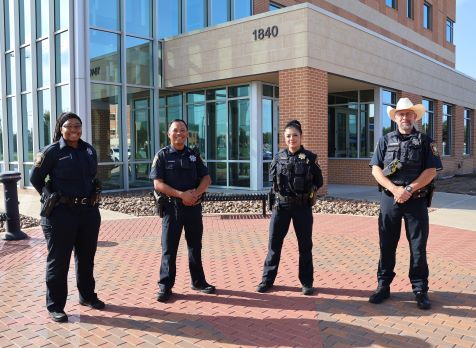
You must complete two steps to apply for a posted job position at the Sheriff's Office. First, complete the online application for a posted Sheriff’s office position. Once the online application is complete, call the Sheriff's Human Resources Office to continue the application process.
Some posted Sheriff's Office positions may require pre-application skills testing. Most positions at the Sheriff's Office require the applicant to meet TCOLE minimum licensing standards, whether for a telecommunications position or a commissioned position.
Click here to view open positions at the Sheriff's Office. Once you have completed the application, send an email to FBCSOHR@fortbendcountytx.gov and obtain further instructions before attempting to complete the Fort Bend County Sheriff’s Office Personal History Statement.
Learn more about our Volunteer Reserve Deputy Sheriff program.
FBCSO Recruiters
can be reached at
fbcsorecruiting@fbctx.gov or 281-652-7761.
| Contact Us | ||
|---|---|---|
| Address | Hours | Contact Information |
| Fort Bend County Sheriff’s Office Human Resources, Suite 144 1521 Eugene Heimann Circle, Richmond, TX 77469 |
8:00 AM - 3:30 PM Monday - Friday |
Phone: 281-238-1586 Email - FBCSOHR@fortbendcountytx.gov |

Fort Bend is ranked as one of the fastest growing counties in the nation. We have capitalized not only on the creed of real estate: location, location, location, but also on the “quality of life” that is so sought after by families looking for the right place to call “home”. Fort Bend County is looking for motivated people that love coming to work, dare to do their best, want to work with like-minded people, and help change the community.
Search for jobs and apply online:

Fort Bend County applies positive service and employment practices designed to ensure the full realization of equal employment opportunity without regard to race, color, age, sex, religion, national origin, or disability. To implement this policy, Fort Bend County will continue to:
Employment opportunities with Fort Bend County vary a great deal. In order to provide an equal opportunity for all interested individuals including current employees, each department posts open positions with the Human Resources Department. Fort Bend County encourages career advancement for qualified County employees, who are encouraged to apply for open positions.
If you have any technical or account related questions, please email
HumanResources@fortbendcountytx.gov. Allow 24 hours for a reply.
JOB STATUS:
*PLEASE NOTE - Most of Fort Bend County job openings are posted as "upon filling position" therefore there is no set date as to when positions will be filled. Due to the volume of applications received, we are unable to personally contact everyone who applies.Only those applicants whose background and skills most closely match the requirements of the position will be directly contacted by the hiring department.
Computers are available at the Human Resources Department located in the William B. Travis Building at 301 Jackson Street, Suite 243, Richmond, TX 77469.
You may also stop by any local library.
Search/Apply for a Job online.
Fort Bend County no longer accepts paper applications.
The only exception is Sheriff’s Office Career Opportunities.
When an Active Shooter is in your vicinity, you must be prepared both mentally and physically to deal with the situation. Victims are selected at random; the event is unpredictable and evolves quickly. Knowing what to do can save lives.
You have three options:
Note: The first officers to arrive at the scene will not stop to help the injured. Expect rescue teams to follow the initial officers. These rescue teams will treat and remove the injured.
Once you have reached a safe location, you will likely be held in that area by law enforcement until the situation is under control and all witnesses have been identified and questioned. Do not leave the area until law enforcement authorities have instructed you to do so.
This Quick Reference Guide has been adapted from the U.S. Department of Justice, Federal Bureau of Investigation.

The IRS encourages everyone to check their withholding. See the publication below regarding the new Tax Cut Law which can impact your 2018 and 2019 tax returns.
Changes to your W4 can be done through Employee Self-Service or by submitting a new W4 form to the Payroll Department in the Treasurer's Office.
New Tax Cut Law flyer [PDF]
All full and part time Fort Bend County employees are members of Texas County & District Retirement System (TCDRS).
You may view your TCDRS retirement balance, your vesting date, when you are eligible for TCDRS retirement, run your own retirement estimates and make address and beneficiary changes online. Create an account online at www.TCDRS.org to get started. Contact TCDRS Member Services in Austin if you have questions about accessing your online account at 1-800-823-7782.
Each month, 7% of your total pay goes into your TCDRS account. Your account gets 7% interest credited after each December 31, based on your January 1 balance.
You are considered vested when you have earned enough service time to be eligible for retirement once you reach the age requirements. To be vested, you must have 8 years of service credit. Once vested, you may stop working for Fort Bend County and still keep your right to a future TCDRS retirement benefit. Your personal account will keep earning interest each year until your membership ends. Your membership ends when you withdraw your personal deposits or choose a retirement benefit, or upon your death.
You may be eligible to combine your service time from each of your Texas statewide employer’s retirement systems. Combining your service means you may be eligible for retirement earlier. The Proportionate Retirement Program lets you add service time you earned in any of the following Texas statewide retirement systems to your TCDRS service: ERS, JRS, COAERS, TMRS and TRS. If you have an account with any of these systems, notify TCDRS by logging into your TCDRS account online at www.TCDRS.org and click “Report other service time” under your Account Summary or you may call TCDRS Member Services at 1-800-823-7782 to inform them. TCDRS will credit the service time to your account after they verify your service with the other retirement system. Please also call the other system with which you have service time and let them know you have a TCDRS account. You may be eligible to apply your TCDRS service to eligibility with the other system. Please keep in mind that each system has different rules regarding service and eligibility.
Thank you for your service to our Country! You may be able to get service time for the time you served in the U.S. Armed Forces before you became a TCDRS member. Best of all, you may be able to count your military service toward your retirement eligibility. You may qualify for up to 60 months (or five years) of military service if,
If you are vested, log into your TCDRS account at www.TCDRS.org and click “Report other service time” under your Account Summary.
Active employees who return from unpaid military leave are entitled to service credit for the unpaid period with TCDRS for purposes of vesting and retirement eligibility.
Employees must notify TCDRS upon return from leave by completing. Read Policy 708 – Military Leave for more information or contact the Human Resources Department.
If you pass away before you retire, TCDRS will pay your money (deposits and interest) to your beneficiary. You may designate, review or update your beneficiaries online at www.TCDRS.org when you sign into your account. You may not update your TCDRS retirement beneficiary via Employee Self Service at the County. Beneficiary changes must be updated directly with TCDRS by logging into your TCDRS account.
When you have four years of service, your beneficiary is eligible for the survivor benefit. The survivor benefit gives your beneficiary the option of getting a monthly payment for life from your TCDRS account if you pass away before you retire. That monthly benefit is made up of your deposits and interest, as well as employer matching. The beneficiary of your TCDRS retirement account is the person who will receive the survivor benefit should you die before you retire. As long as your beneficiary designation is up to date, you don’t need to take any action.
Leaving your job at Fort Bend County doesn’t mean you lose your retirement savings. If you are not yet eligible for retirement but leave your job at Fort Bend County, you have three options:
To start the withdrawal or rollover process, contact TCDRS Member Services at 1-800-823-7782.
Once you are vested with 8 years of service, you are eligible for a retirement benefit from TCDRS when you meet one of the following requirements:
For continuation of health benefits, you must meet criteria as set forth in Policy 511 of the .
When you retire, you will receive a lifetime monthly benefit payment. All payment options pay you for your lifetime. Some of the payment options also provide a monthly benefit for your beneficiary after your death. With Fort Bend County’s plan, you will receive a 200% match when you retire. This means that Fort Bend County will match $2.00 for every $1.00 in your account. The match is applied at the time of your retirement. You will receive your benefit in the form of a lifetime monthly payment.
Full time employees may be eligible for health benefits at retirement. View the health benefit qualifications on Policy 511 of the .
Don’t wait until the year you are going to retire to begin planning. It is never too early to start planning for your retirement. Some things you can do to prepare are:
You meet retirement eligibility and have made the decision to retire. What’s next? Approximately three months prior to your retirement date, email Neal Huebotter at Human Resources to inform him of your retirement date (the last day you plan to work at Fort Bend County). Neal will send you an Acknowledgment Form verifying your eligibility to retire. Once you receive the Acknowledgment Form, and if you qualify for county insurance in retirement, contact Destanie Galarza at Risk Management to make an appointment to discuss your eligibility for continuation of health benefits and to apply for your benefits. CSCD employees should contact Kelly Schmidt at CSCD with questions about retiree insurance benefits through the State.
For a full explanation of retirement and retiree benefits, please view Policies 510 and 511 of the Employee Information Manual. You may view all policies online on the Fort Bend County or from a County computer on eConnect.
All employees should continue to follow department guidelines when determining their own requirements for work during an emergency closure. Please contact your department head for more information regarding Essential Employees and your work requirements during an emergency.
Employees should keep their personal information updated in Employee Self Service. Automated phone calls and texts are sometimes made to employees regarding emergency closures. Update your information on Employee Self Service under Employee Alert Data.